
Patients / clients are invited to Nomadic Care by a registered Nomadic Care provider.
The process is simple:
- Provider creates a patient / client account in Nomadic Care from the provider portal, and creates a care plan condition
- The patient / client receives an email invitation to Nomadic Care, with a link to verify the email address used to setup the account
- Patient / client downloads the Nomadic Care patient app
- When running the Nomadic Care app for the first time, the patient / client enters the 6 character care plan code sent to them in their email. If they are with their provider, then they can directly scan a QR code from the provider portal, or they can copy the code from the email sent to them
- Finally the patient enters their surname to complete the login process. And that’s it! No passwords required!
The following describes the above process in more detail.
Patient / Client Welcome email #
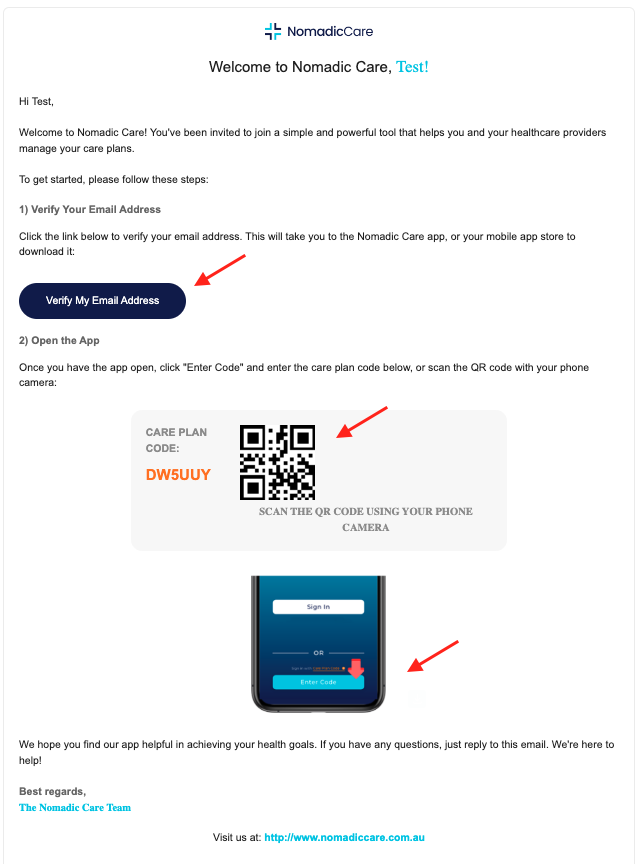
The welcome email contains detailed instructions and information needed to register the account.
- Firstly, click the “Verify My Email Address” to confirm your email
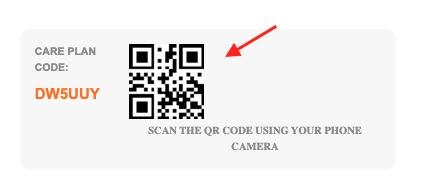
- Next copy the care plan code so you can use it to login to the app
- If you need to download the app, there will be links in the email to quickly and easily download the mobile app
Download the mobile app #
If you haven’t already downloaded the Nomadic Care patient app, click the below links based on your phone.
- Click the “Google Play” link if you have an Android phone (e.g. Samsung or Pixel phone), or
- Click the “App Store” button if you have an Apple iPhone


Scan or enter the care plan code #
Once the patient / client has downloaded the mobile app, they can enter the care plan code to begin.
First step is to enter the care plan code you copied from the email.
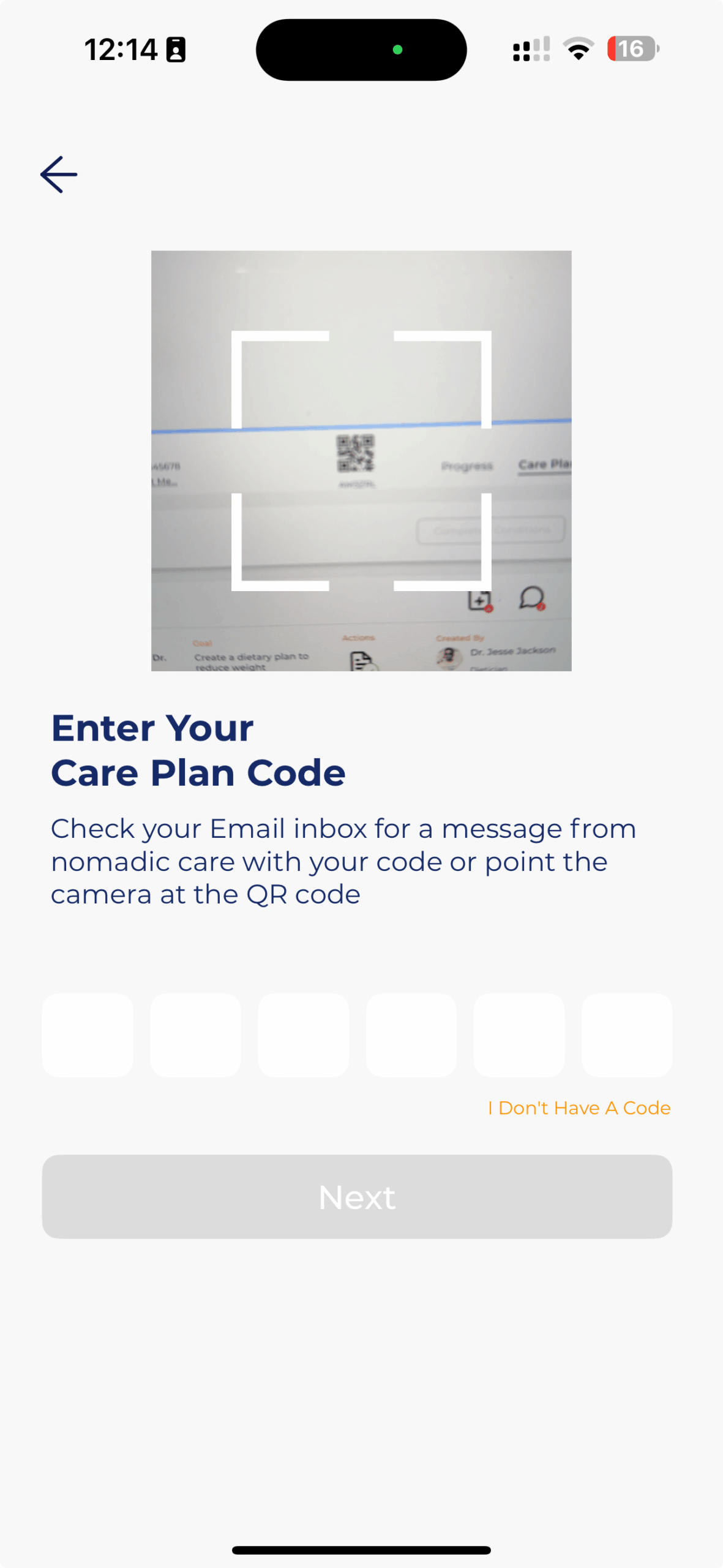
You can also scan the QR code from the patient record visible on the provider dashboard. This is done by selecting “Enter Care Plan Code” from main screen, and using the camera to scan the QR code:
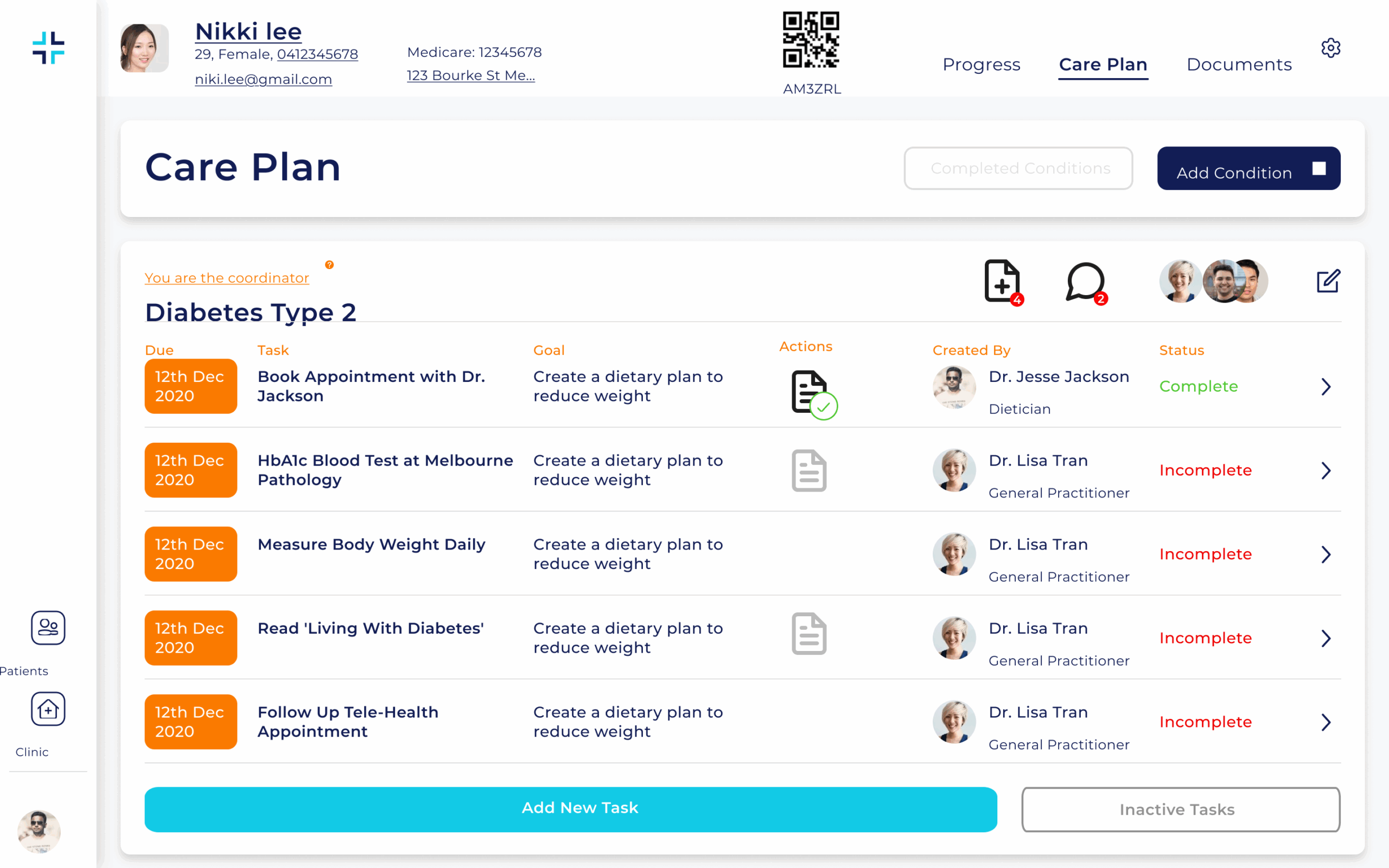
The QR code is also available on the patient / client record on the provider portal view:
Finally, teh patient / client enters the surname to complete the login process:
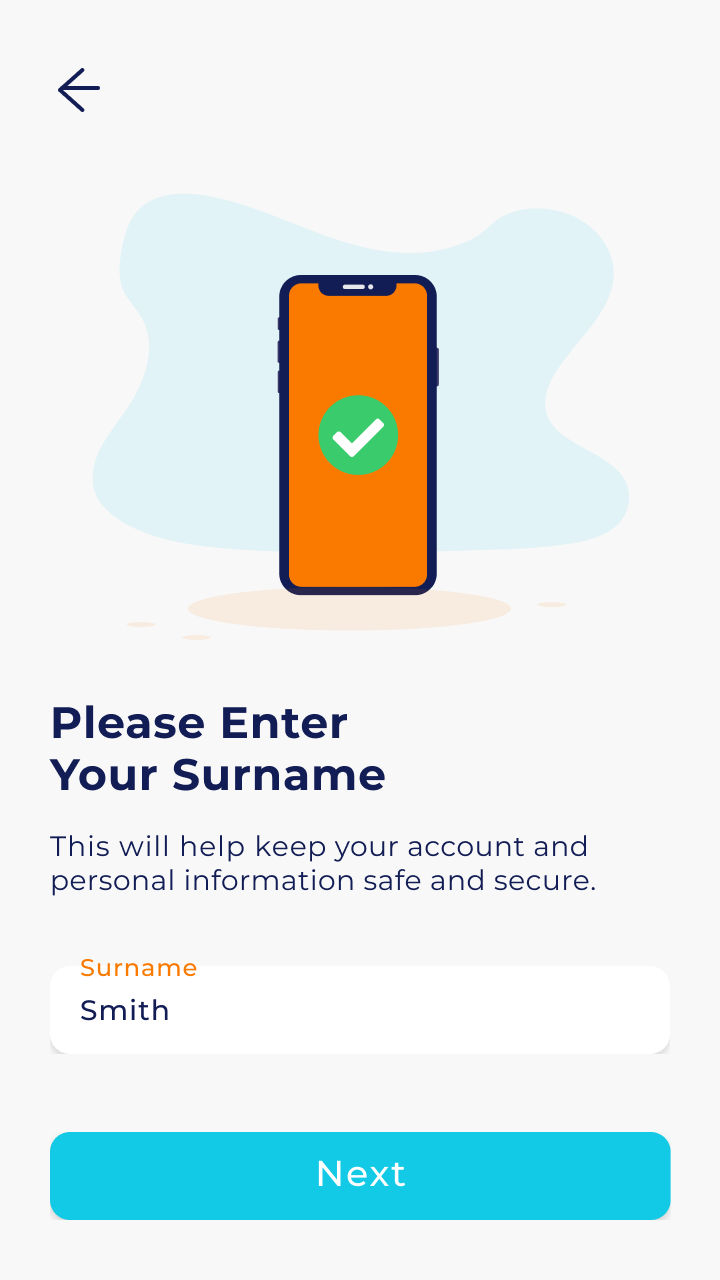
And that’s it! This process doesn’t require a setup of passwords, and relies only on a care plan code emailed to the patient / client, and their surname, to authenticate themselves. No messy password to remember, no complicated passkeys to setup.


